Diwa Wow APK Download: 777 Spin Screen & Quick Setup
Latest
34MB
Latest
Android
13k+
Description
Diwa Wow Most people on mobile prefer games that open fast and get straight to the point. One look at the DiwaWow screen makes the 777 spin vibe clear right away.
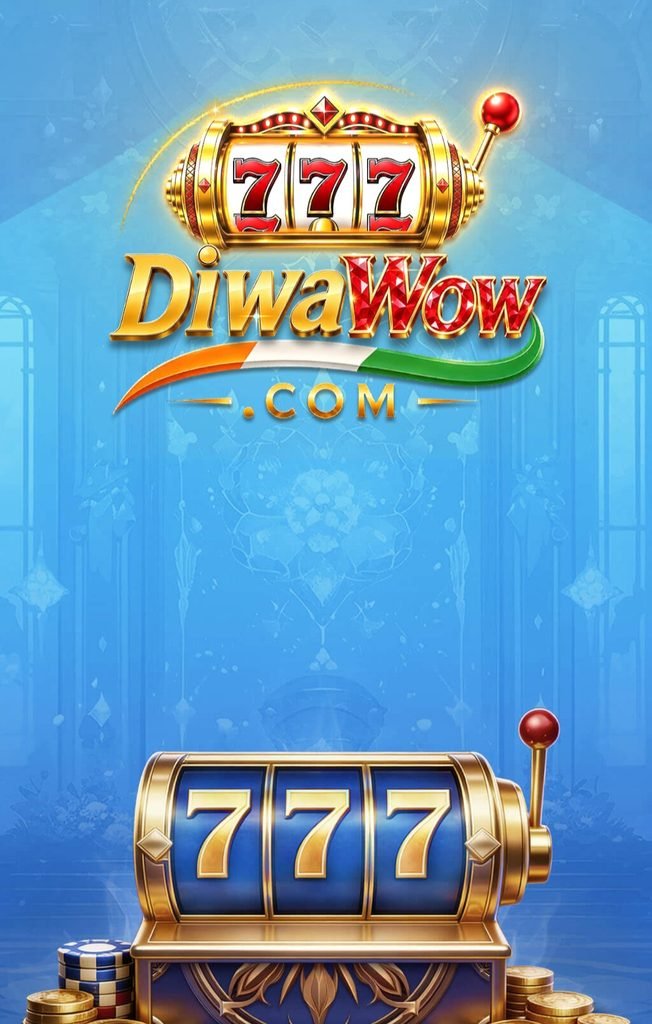
A golden slot reel sits against a blue backdrop with coins and chips around it. Down below, a 96% loading bar shows up with a Hindi message saying the excitement will start soon.
Before you jump in, it helps to know how the basic setup works. Everything here is kept simple so you do not waste time.
What the DiwaWow Screen Looks Like
At the top, you see the DiwaWow name and a 777 reel emblem. Below that sits a large 777 slot unit flanked by stacked coins and chips.
The colors look bright and sharp. Nothing feels crowded or messy on that first screen.
That Hindi line under the progress bar makes the screen feel familiar for local players. Seeing 96% on the bar also hints at a quick start.
Diwa Wow Main Highlights of This App 🎯
- Clean Screen: Only the main 777 artwork and loading line appear on display.
- Quick Load Look: The 96% bar gives the impression of a fast-opening game.
- Hindi Welcome Line: The text below the bar is easy to read at a glance.
- Portrait Layout: Built to fit naturally when holding your phone upright.
How to Download the Diwa Wow File on Android
First, check that your internet connection is steady. A drop in network can leave a download unfinished.
Open the page or source in your mobile browser where the DiwaWow APK is hosted. Take a quick look at the file name and size before tapping.
Hit the download button and wait for the file to finish saving. Once done, check your notification bar or Downloads folder.
Diwa Wow Simple Steps to Install the APK
1. Open Settings on your phone and go to Apps or Security.
2. Pick the browser you used to download the file and turn on Install unknown apps.
3. Go to Downloads or File Manager and tap the DiwaWow APK file.
4. Tap Install and give it a moment to finish.
5. Once installed, tap Open to view the app screen.
Things to Keep in Mind When Opening
During the first launch, the loading bar may pause for a few seconds. No need to panic right away.
If it stays stuck at 96% or any other spot, close the app and open it again. Toggling mobile data or Wi-Fi off and back on can also help.
Keep some free storage space on your phone. Low storage often makes mobile games lag or shut down.
Why Users Give It a Try ⚡
- Instant Theme: The 777 reel, coins, and chips show the game style immediately.
- Easy First Look: First-time visitors can read the screen without confusion.
- Lively Colors: Blue and gold give the screen an active feel.
Diwa Wow A Few Quick Reminders
Always check file details before running any APK package. An outdated or mismatched file can throw an install error.
Keep your Android OS and browser updated. Older software sometimes struggles to run newer app builds.
Pace yourself with your time and battery while checking out the app. Following each step carefully keeps things smooth.
Diwa Wow Frequently Asked Questions (FAQ)
What does the DiwaWow loading screen show?
It shows a blue background, a DiwaWow 777 title banner, a 777 slot reel with coins and chips, and a 96% loading bar with a Hindi line below it.
Why does my phone block the APK installation?
Android restricts browser installs by default for safety. You can enable Install unknown apps for your browser in settings and try again.
What should I do if loading pauses near 96%?
Give it a few moments first. If it stays still, force close the app, refresh your connection, and reopen it.
Where can I find the file after downloading?
Look in your browser download history, top notification shade, or the phone’s Downloads folder.
Why is the Hindi text shown below the loading bar?
The loading screen displays a short Hindi message under the progress bar so users who read Hindi can follow the loading status easily.
Can low phone storage affect how the app runs?
Yes, full or low storage can slow down your phone or cause apps to lag and close unexpectedly.
Wrapping Up
The DiwaWow loading screen gives off a clean 777 spin look. If that style matches what you want, follow the steps above to try it out.
Make sure to replace the placeholder links and check your page details before hitting publish.
Would you like to swap in your actual download URL right now, or adjust any section before publishing?